Adjust this device’s timing when its sound or display feels out of step while following Conductor.
Conductor Sync Settings
Use this adjustment when this Viewer follows the right song position but its sound or display feels slightly out of step. Leave it unchanged if they already line up, or if you do not use Conductor.
Open Sync Details in Global Settings. To find a Conductor to connect to, use Conductor Scan.
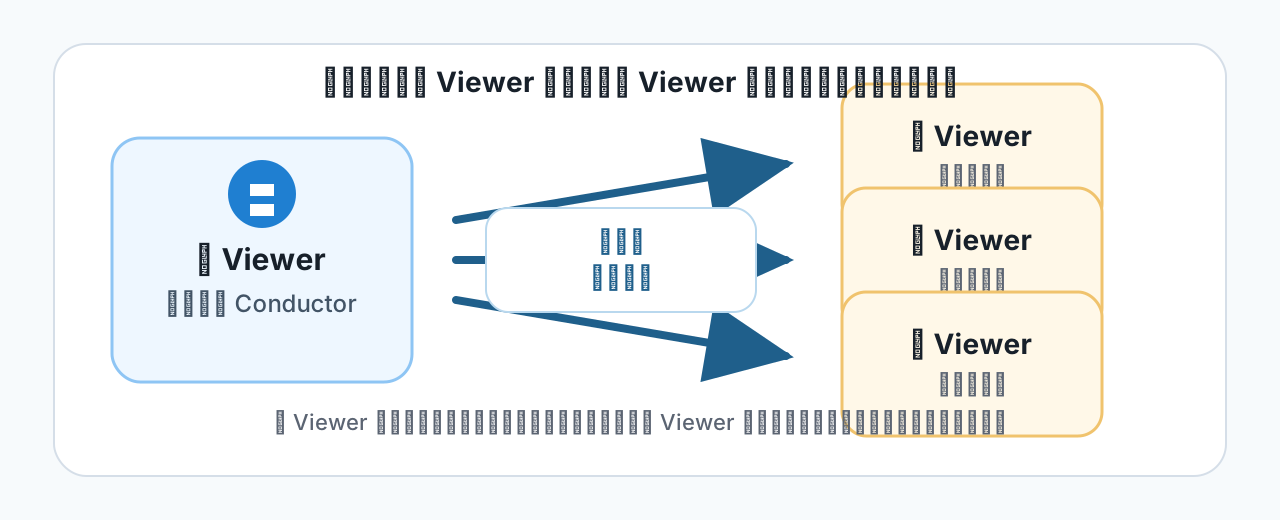
A Local Conductor sends one Viewer's song number and elapsed song time to other Viewers. An external PagePilot Conductor performs this role when following a DAW.
Align This Device's Timing
This setting is for a device following an external or Local Conductor (a child Viewer). It changes the timing followed by this device; the parent and other Viewers keep their own timing.
Try “Conductor Timing Correction”
This correction applies to songs followed through Conductor. Use the audio start time when only one song's audio is out of step, or Output Device Latency when lining up the click you hear with what the screen shows.
- Note the current value, then play the same song on the parent and child using your performance output equipment.
- If this Viewer's sound is late, move Conductor Timing Correction slightly toward a positive value.
- Replay the same passage and check whether the sound and display line up more closely. Compare one small change at a time.
If the result is worse, restore the value you noted. The initial value is 0 ms; if you had already adjusted it, return to your previous value. This number cannot fix interrupted sound or a lost connection. Use Connection Status to identify the symptom.
Use This Device as the Parent Viewer
This screen has no parent Viewer settings. Choose Become Local Conductor in Conductor Scan.
With child Viewers connected, the parent and children start sounding together about 1 second after you press play on the parent. This wait lets the children prepare to start at the same moment; its length cannot be changed. With no child connected, playback starts right away.
Change the name that nearby Viewers see with Device Name under This Device in Global Settings. Use a part or location name so performers can identify the right device.
If the Wrong Song Opens
Timing correction does not change which song opens. Check song numbers in Conductor Setlist Mapping.